What Is Lawnchair?
Quick Answer: Lawnchair Launcher is a free, customizable Android home screen launcher that delivers a clean, Pixel-inspired experience while offering advanced personalization options. It includes features such as icon pack support, gesture controls, customizable app drawers, widgets, and flexible home screen layouts. When downloaded from trusted sources, Lawnchair Launcher is safe to use and works on a wide range of Android devices. This guide explains its key features, benefits, safety considerations, and the steps to install and set up Lawnchair Launcher for the best user experience.
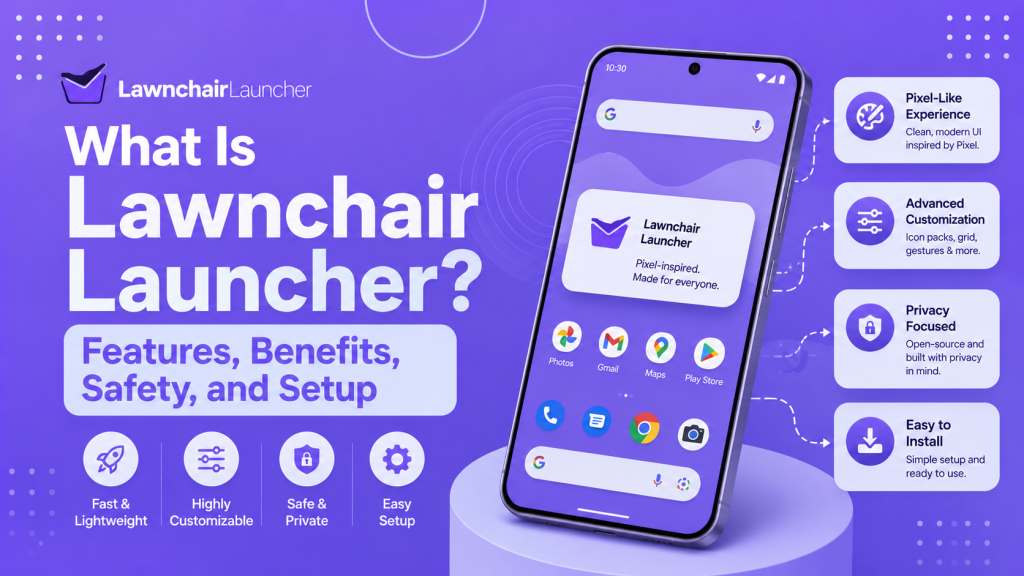
Lawnchair is a free and open-source Android launcher designed to provide users with a clean, customizable home screen experience. It is based on Launcher3, the same foundation used by the standard Android home screen.
The launcher offers a Pixel-style interface while giving users more control over icons, gestures, themes, app drawer settings, and home screen layouts. It is suitable for users who want a simple Android design with additional customization options.
Overview of Lawnchair
Lawnchair is an open-source home screen launcher for Android devices. It is designed to provide a clean interface that looks similar to the Google Pixel Launcher while offering more customization options.
Users can change the home screen layout, icon style, app drawer, search bar, gestures, and visual appearance. Lawnchair is mainly suitable for people who want a simple Android experience without losing control over personalization.
Lawnchair Packages and Available Versions
Lawnchair is offered through various release channels to meet different user needs. Stable and beta builds are more suitable for regular use, while development builds contain newer changes that may still have bugs.
The official Lawnchair project currently recommends Lawnchair 15 Beta 3 for regular users. Lawnchair 16 development builds are also available for testing, but they may crash or contain incomplete features because the project is undergoing major technical changes.
Lawnchair 15 Beta 3
Lawnchair 15 Beta 3 is the recommended version for most users. It includes Pixel-style features, customization options, bug fixes, performance improvements, and support for importing selected Nova Launcher backup data.
Lawnchair 16 Development Builds
Lawnchair 16 development packages provide access to upcoming changes and newer Android foundations. These builds are mainly intended for testing and may be less stable than Lawnchair 15 Beta 3.
Lawnchair 15 Beta 3
Lawnchair 15 Beta 3 is a pre-release version of the Android launcher. It adds support for importing selected home screen data from Nova Launcher backups, including icon layouts, widgets, folders, and selected icon packs.
The update also includes general bug fixes and performance improvements. The Lawnchair project currently recommends this version for regular users instead of the less stable Lawnchair 16 development branch.
Release Date and Version Status
Lawnchair 15 Beta 3 was released on December 25, 2025. It is officially listed as a pre-release build rather than a final stable version.
As of July 2026, it remains the recommended version for regular users. However, users may still experience bugs because it is a beta release.
Lawnchair 15 Dev Version 19
Lawnchair 15 Dev Version 19 is a development build created for testing newer launcher changes before they reach a beta or stable release. It may include recent interface updates, Android compatibility improvements, and experimental fixes.
Because it is a development version, it may contain bugs, crashes, or incomplete features. A GitHub issue reported a home screen refresh problem while using Lawnchair 15 Dev Version 19 on Android 16, which shows that the build was still under active testing.
Release Date and Version Status
An exact official release date for Lawnchair 15 Dev Version 19 could not be confirmed from Lawnchair’s official release pages. Public reports show that the build was in use by March 22, 2026.
Its status should be described as a development or testing build, not a stable release. Users who need better reliability should choose the latest recommended beta or stable package from the official Lawnchair download page.
Lawnchair System Requirements
Lawnchair is designed for Android devices, but compatibility depends on the selected app version and the features being used. Users should install the package from the official Lawnchair website, GitHub repository, or Google Play listing.
A compatible Android version and enough free storage are required for installation. Some advanced features, such as Android Recents integration through QuickSwitch, may also require root access.
Supported Android Versions
Lawnchair 15 is based on Launcher3 from Android 15. Its QuickSwitch integration officially supports Android 10 through Android 15, though it requires a rooted device. Higher Android versions and some quarterly platform releases may not be officially supported by every Lawnchair 15 build.
Users who only want Lawnchair as their standard home screen launcher may be able to use it without root access. However, compatibility can vary depending on the Android version, device manufacturer, and installed Lawnchair package.
Lawnchair App Configuration and Access
Lawnchair provides several settings that allow users to control the appearance and behavior of the Android home screen. These settings include the grid layout, icon size, app drawer, gestures, search options, themes, and notification indicators.
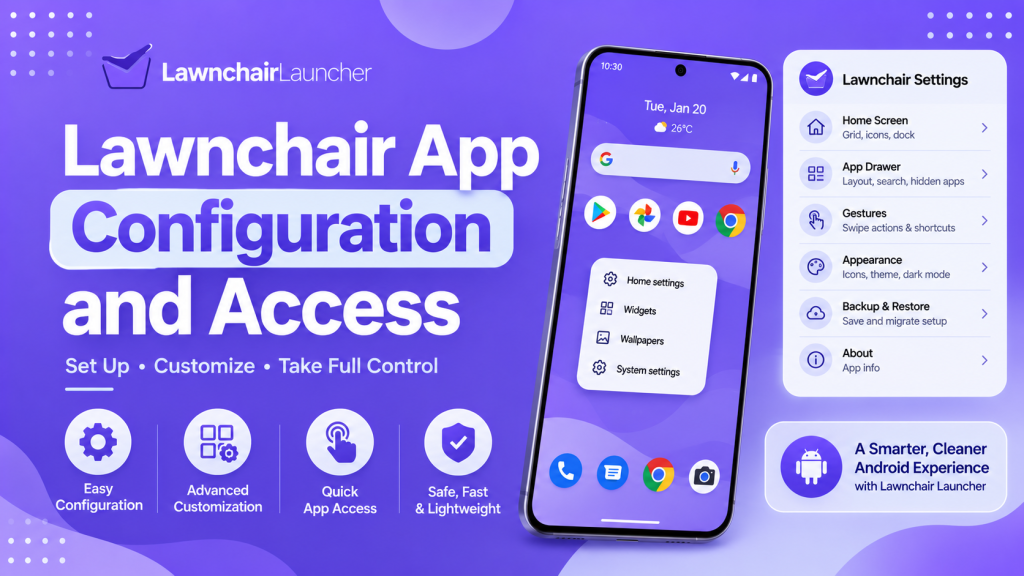
Most configuration options are available directly inside Lawnchair settings. Some advanced functions may require additional system access to work correctly.
App Configuration and Special Access
Users can open Lawnchair settings by pressing and holding an empty area of the home screen. From there, they can adjust the home screen, dock, app drawer, folders, icons, gestures, and visual style.
Certain features may need special Android access, such as notification access, accessibility access, or permission to display notification dots. Users should enable only the permissions required for the features they plan to use.
Lawnchair Features and Security
Lawnchair Launcher combines a Pixel-style Android interface with additional customization controls. It is open-source and built on Launcher3, which also serves as the basis for the standard Android home screen.
Its security depends on the package source, selected version, and permissions enabled by the user. Installing Lawnchair from its official website, GitHub repository, or verified app listing helps reduce the risk of modified packages.
Main Features
Lawnchair allows users to customize the home screen, dock, app drawer, folders, search options, gestures, icons, and overall interface. It also brings several Pixel Launcher features to other supported Android devices.
The launcher supports themed icons that can match the device wallpaper and system theme. Users can also install Lawnicons or another compatible icon pack to change the appearance of supported applications.
Lawnchair 15 Beta 3 also supports importing selected data from Nova Launcher backups. This includes the home screen and dock icon layout, folders, widgets, and the selected icon pack.
Malware Check Results
The Lawnchair package listed on the IzzyOnDroid repository passed its automated malware check. This means the repository did not detect known malicious code during its package analysis.
However, a passed scan does not provide a complete security guarantee. Users should download Lawnchair from its official website, verified GitHub repository, Google Play listing, or another trusted source.
Detected Libraries
The analyzed Lawnchair package contains 34 detected software libraries. These libraries support the app interface, data storage, animations, compatibility, and other technical functions.
Examples include Jetpack Compose, AppCompat, CardView, ConstraintLayout, DataStore, Dynamic Animation, and Android custom view components. The number of detected libraries can change between Lawnchair versions, so this result applies only to the package analyzed by the repository.
Frequently Asked Questions
Is Lawnchair Free to Use?
Yes, Lawnchair is free to use. It is also an open-source Android launcher, which means its source code is publicly available for review and development.
Users should download it from the official Lawnchair website, GitHub repository, or another trusted source.
Is Lawnchair Safe for Android Devices?
Lawnchair is generally considered safe when downloaded from an official or verified source. Its open-source nature also allows developers and security researchers to inspect the code.
Users should avoid modified APK files from unknown websites. They should also review requested permissions before enabling them.
Does Lawnchair Drain the Battery?
Lawnchair usually has a limited effect on battery life during normal use. Battery consumption can increase when users enable animations, widgets, gestures, notification access, or other advanced features.
Battery performance may also depend on the Android version, device model, and Lawnchair build.
Is Lawnchair Better Than the Default Android Launcher?
Lawnchair may be better for users who want more customization. It offers greater control over icons, gestures, the app drawer, the dock, themes, and home screen layouts.
A default launcher may be more suitable for users who prefer maximum stability and a simpler interface. The better choice depends on the user’s needs and device compatibility.
Conclusion
Lawnchair is a free and open-source Android launcher that combines a clean Pixel-style interface with useful customization options. It allows users to adjust icons, gestures, layouts, themes, the app drawer, and other home screen settings.
It is a suitable choice for users who want more control than a default Android launcher provides. For better security and stability, users should install Lawnchair from an official source and select a version that matches their Android device.
Latest post